How far Nomad Life has come, and what's next

I'm Justin, and I'm building Nomad Life on my own. This page covers what each release does and when you'd reach for it. Things I haven't built yet are listed too, each with the condition that has to be met before I start. I want Nomad Life to grow into an info hub for people who live on the road, and expense tracking and splitting is the first piece of it. If I'm not sure about a date, I leave it out.

Live now2

Always keptThe rules I keep while building this app

The four items marked “Always kept” have held since the release they shipped in.

2026.07
Live2026.07

v1.0: One trip, one ledger

You pay in Thai baht abroad and see right away what it comes to in your own currency, and how much you have left for today.
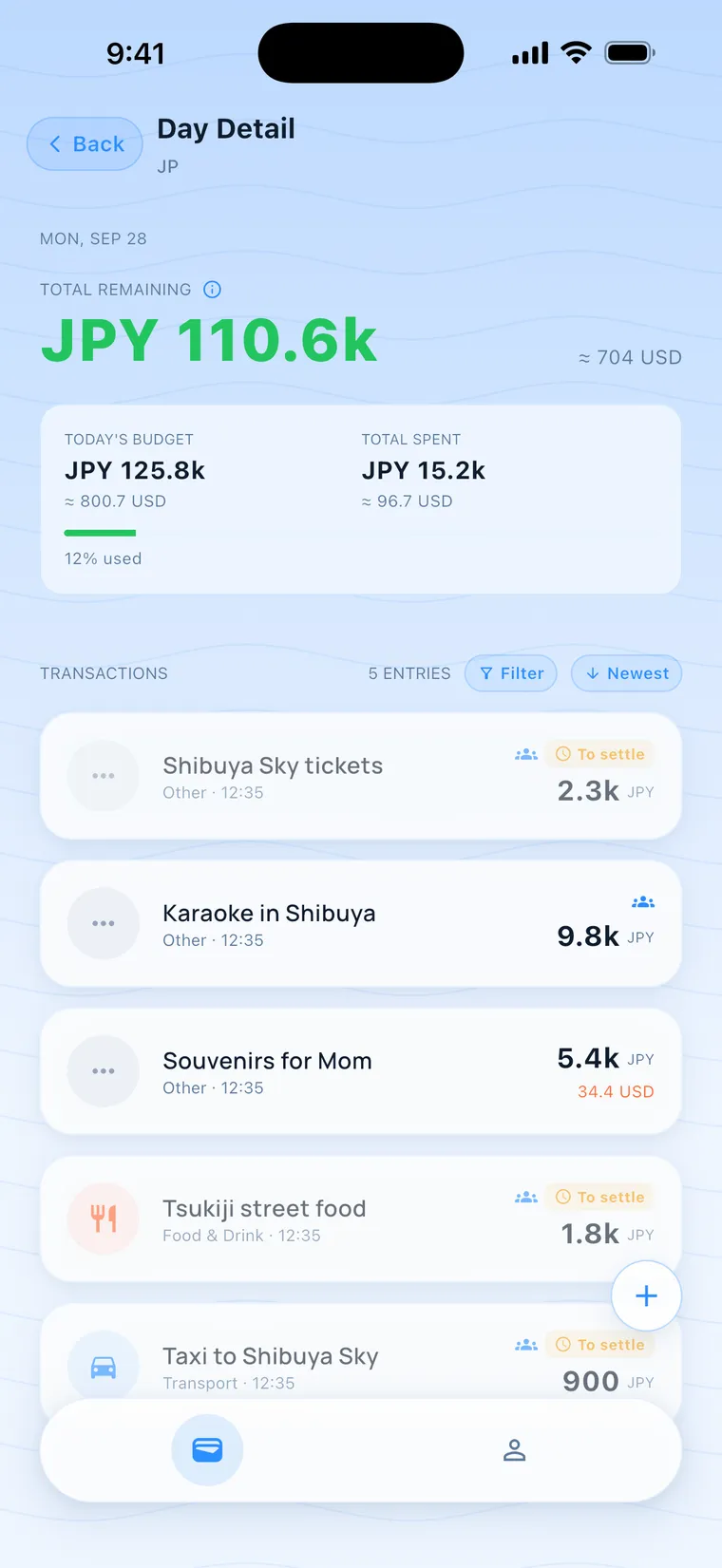
Tokyo day 4, JPY 110.6k left, 12% used
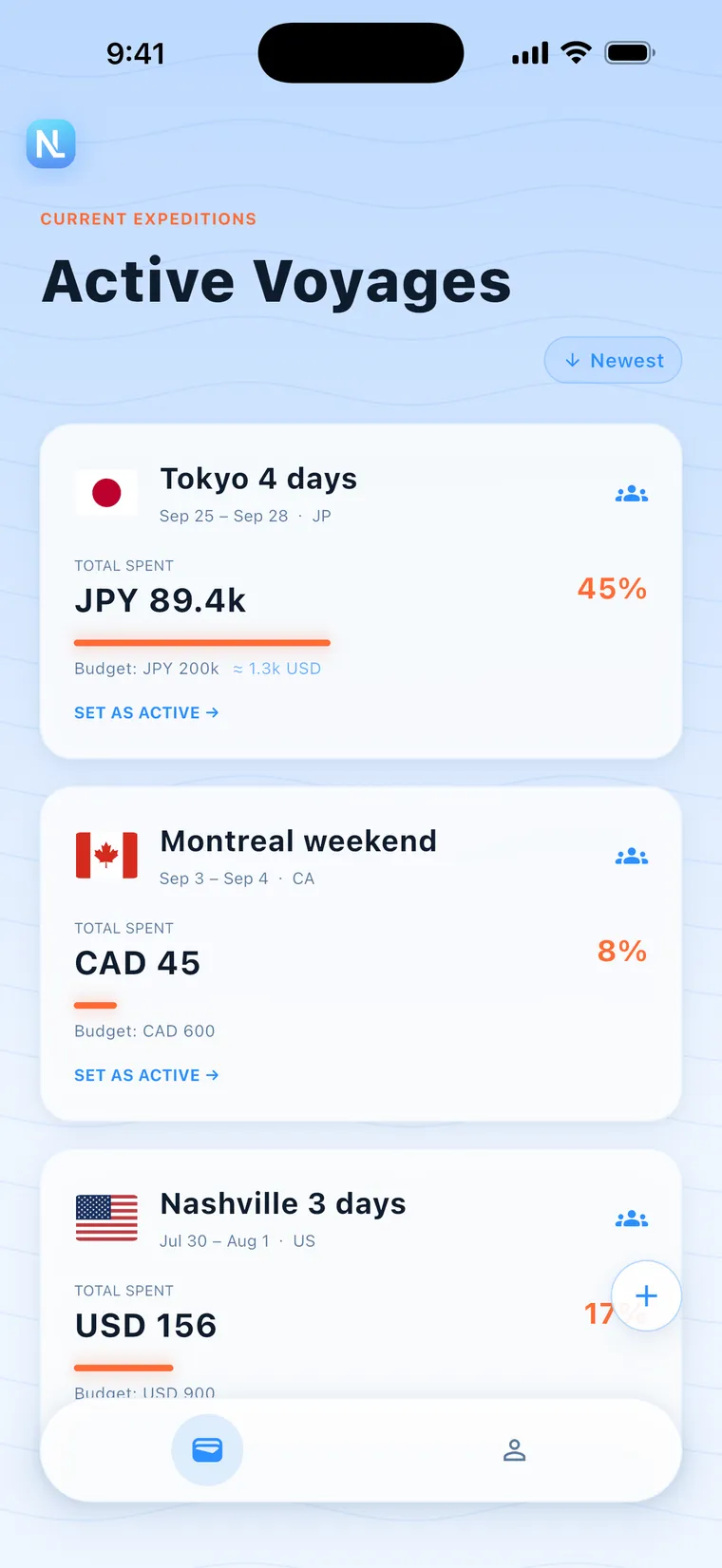
Trip list with Tokyo in JPY, Montreal in CAD and Nashville in USD
  • Start a ledger for each trip with a budget and the number of days
  • The expense screen shows what you can still spend today
  • Converts between currencies
  • Sign in with Google or Apple
  • Log with no signal; it syncs when you're back online
  • There's no cap on how many expenses you log, and I don't put ads in the app. Always kept

Released: On the App Store since July 2026
2026.10
Live2026.10

v1.2.2: Split with friends

Four of you go on a trip and you put the guesthouse on your card. One friend doesn't want to install the app, so you log their share for them, and on settle-up day their part adds up too.

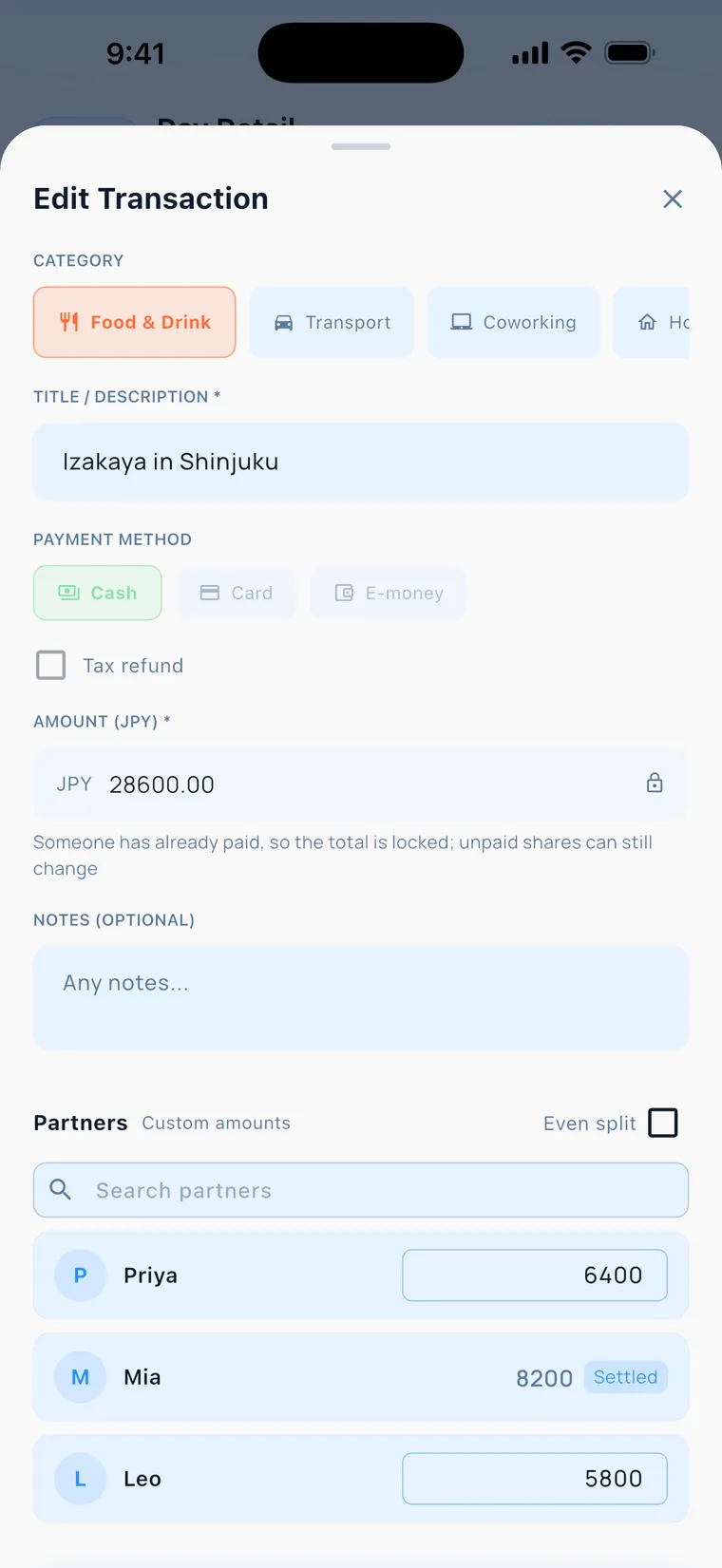
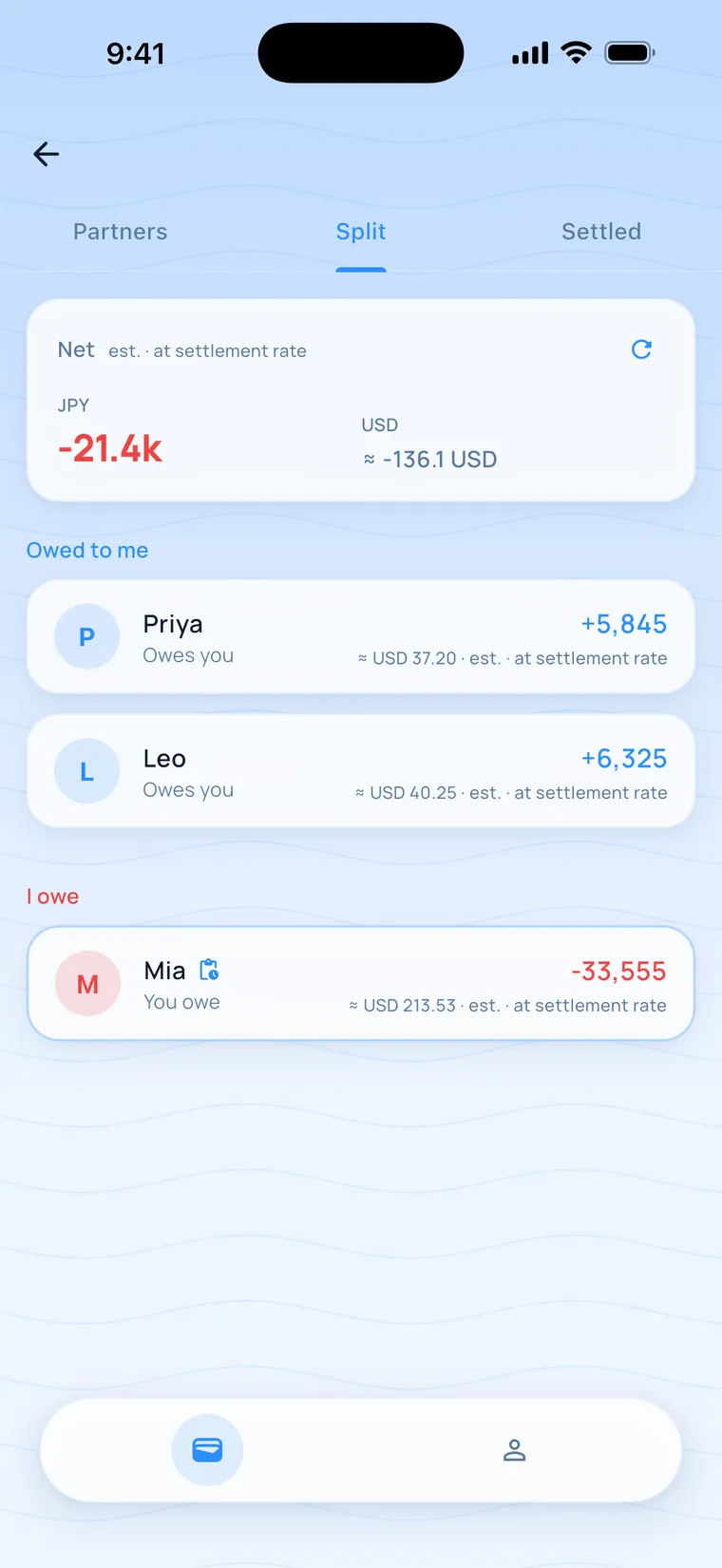
Split tab with a net balance of JPY −21.4k
Editing a split expense
  • Join a group with an invite link or code, then split evenly or set each person's share
  • The Split tab works out who pays whom. After a transfer, those entries lock once the other person taps confirm
  • For a friend without the app, you log and settle on their behalf
  • On the free plan: 1 group you create at a time, 4 people per group, including up to 2 friends without the app
  • The app comes in 8 languages
  • Log expenses and request a settle-up offline; they're sent once you're back online. Always kept
  • Friends in the group can't see your personal ledger. Only the entries you split with everyone show up there. Always kept
  • The basic split and settle-up features are on the free plan. Always kept

Released: On the App Store since October 2026

Right now

In progress1

In development

v1.3.0: A paid plan, and steadier data

You logged three days of expenses offline, got back online, and now want to sign in with a different account. When you tap sign out, the app sends those three days first, then signs you out.

  • The paid plan goes on sale
  • If you stop subscribing, your entries stay. Groups over the free limit pause new splits, while viewing and settling up work as usual
  • Export your personal ledger as CSV, free plan included, and sort it yourself in Excel or Google Sheets
  • Before signing out, the app sends your unsynced entries, so signing out needs a connection
  • Open a settled split offline and still see everyone's share
  • In-app feedback: pick a category, write a few lines, and it comes straight to me

Before review: I'll submit it for App Store review only after the payment flow has run end to end in TestFlight

Planned next4

Planned

v1.3.1: Income and recurring expenses

You rent a place in Chiang Mai for three months, and at the start of every month you type in the rent and internet bill by hand again.

  • Income records, so freelance or part-time income goes in the same ledger
  • Recurring expenses like rent and subscriptions, set up once
  • I'm still listing the situations people would use these two in. Work starts once that list is done

Starts when: After v1.3.0 is on the App Store. The contents and order may still change

Idea

Trip sharing and receipt scanning

Back home, you dig out a stack of paper receipts and type them in one by one.

  • A trip spending page, so people without the app can see what a trip cost
  • Take a photo of a paper receipt and it becomes an entry

Starts when: When I see people opening the app every day and some willing to pay. Until then, it isn't scheduled

Idea

A nomad info hub, starting with visas

Nomad info pages (trial) →

You've decided to spend three months in a country you've never been to. What to check for the visa and which documents to prepare are spread across government sites and forums, and you end up jumping between tabs.

  • First, digital nomad visas and related info for each country, then broken down by region
  • Countries I want to try first: Thailand, Japan, Malaysia, South Korea and Vietnam. This may change
  • After that, good places to work from and the cost of living in each city
  • It brings together public information with a source for every item. I write the text and take the photos myself

Starts when: Once the site's information structure is settled. I'll update this page then

Idea

People on the road

You land in a new city and want to know who else is around this week, so you can meet up at a café.

  • Nomad Life users in the same city can find each other

Starts when: Once there are enough users in the same city. If there aren't, it stays closed

Want to follow along?

I post progress updates in Justin's newsletter. If you'd like to try the app first, it's on the App Store.

Download Nomad LifeSubscribe to Justin's newsletter

→ About