How to split trip expenses with friends: 10 situations
Trips abroad, camping, dinners, concerts, weekend getaways, roommates, couples, work trips, family holidays and bigger groups. Ten ways friends spend together, and for each one, how to log it, how it splits and who pays whom.
Trip abroad: how do you split across currencies?
Four friends spend 4 days in Seoul, and someone fronted the stay and the dinners. A week after the flight home, they're still scrolling LINE to square up.
- Create the trip, pick Korea and your dates, and enter the total budget in the currency you're used to.
- Drop the invite link into your LINE group. Friends tap it and they're in.
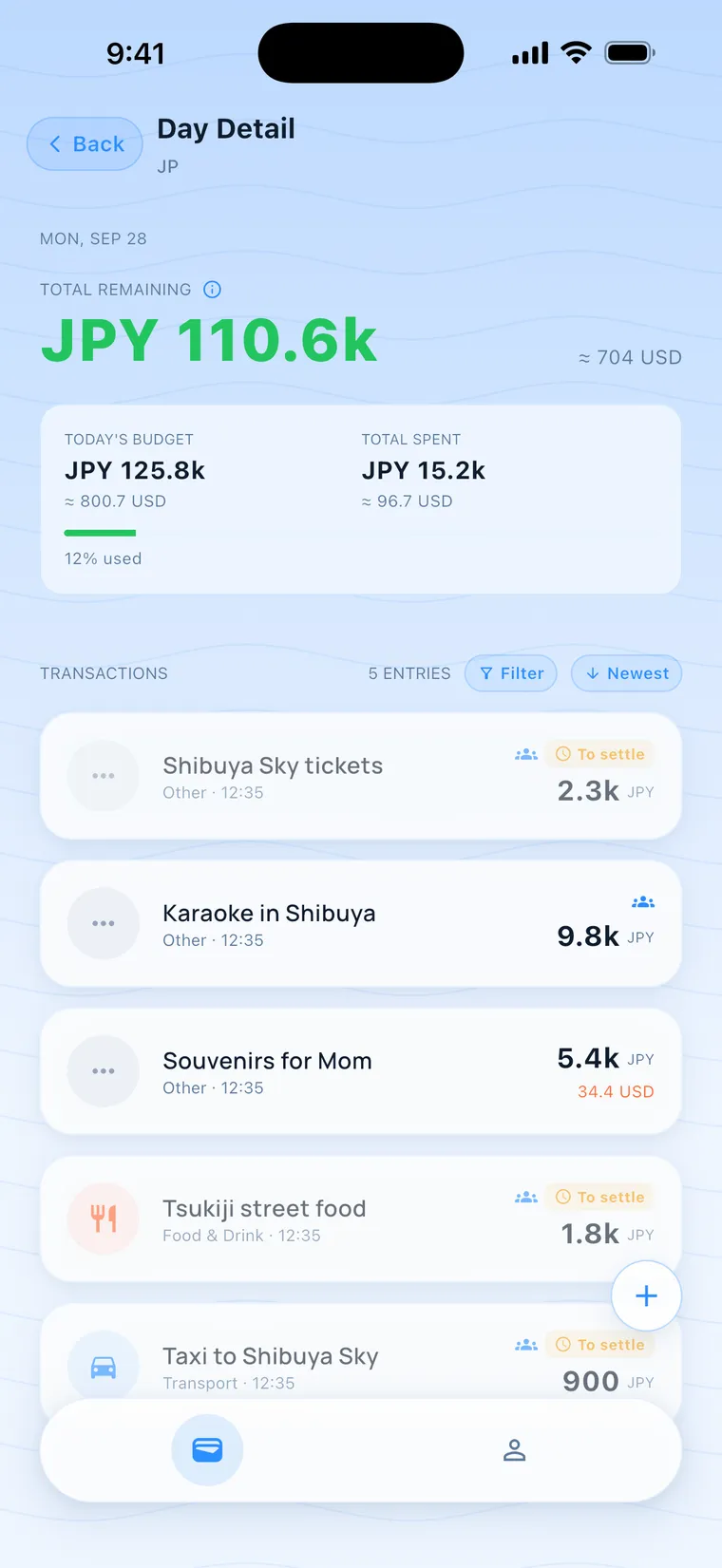
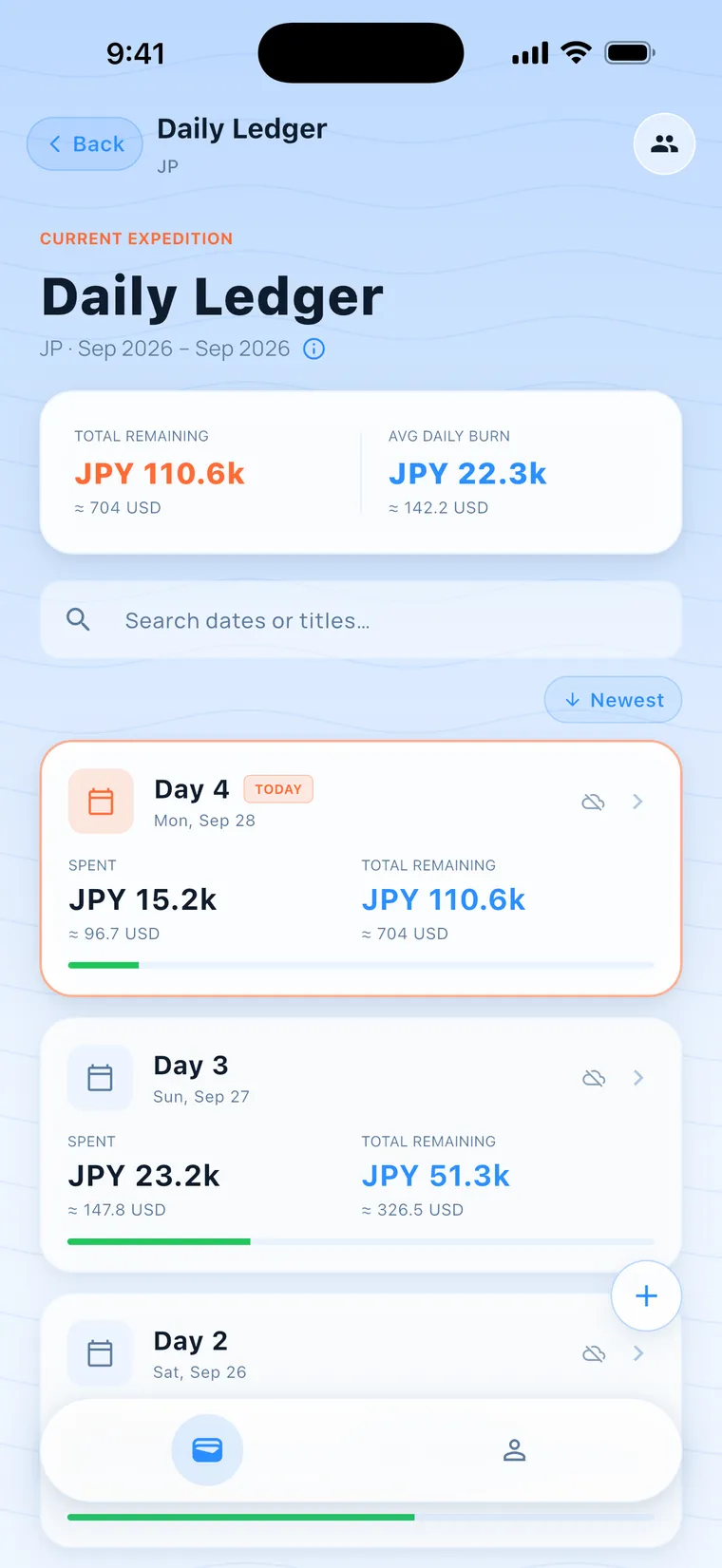
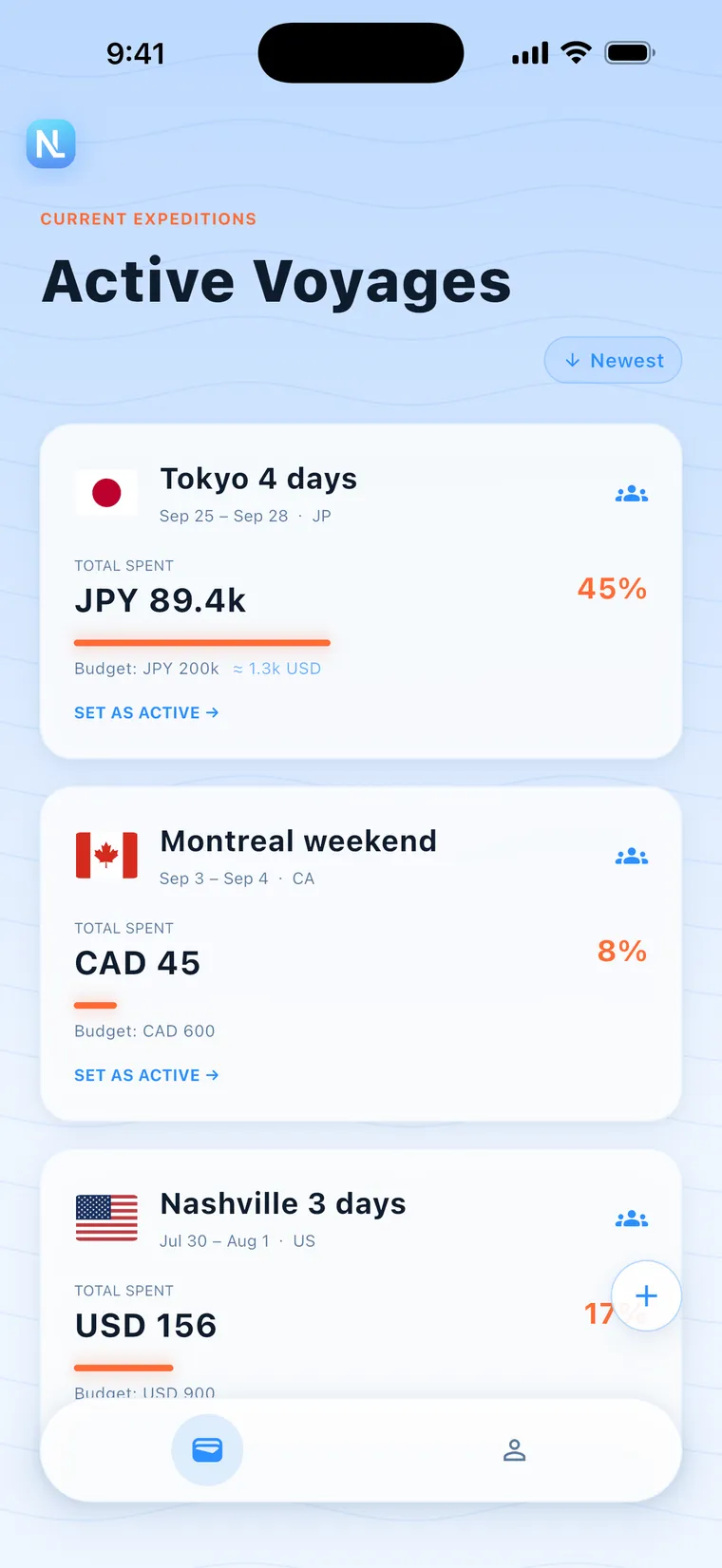
- Enter each expense in the local currency. A converted amount shows beside it, and you can see what's left to spend today.
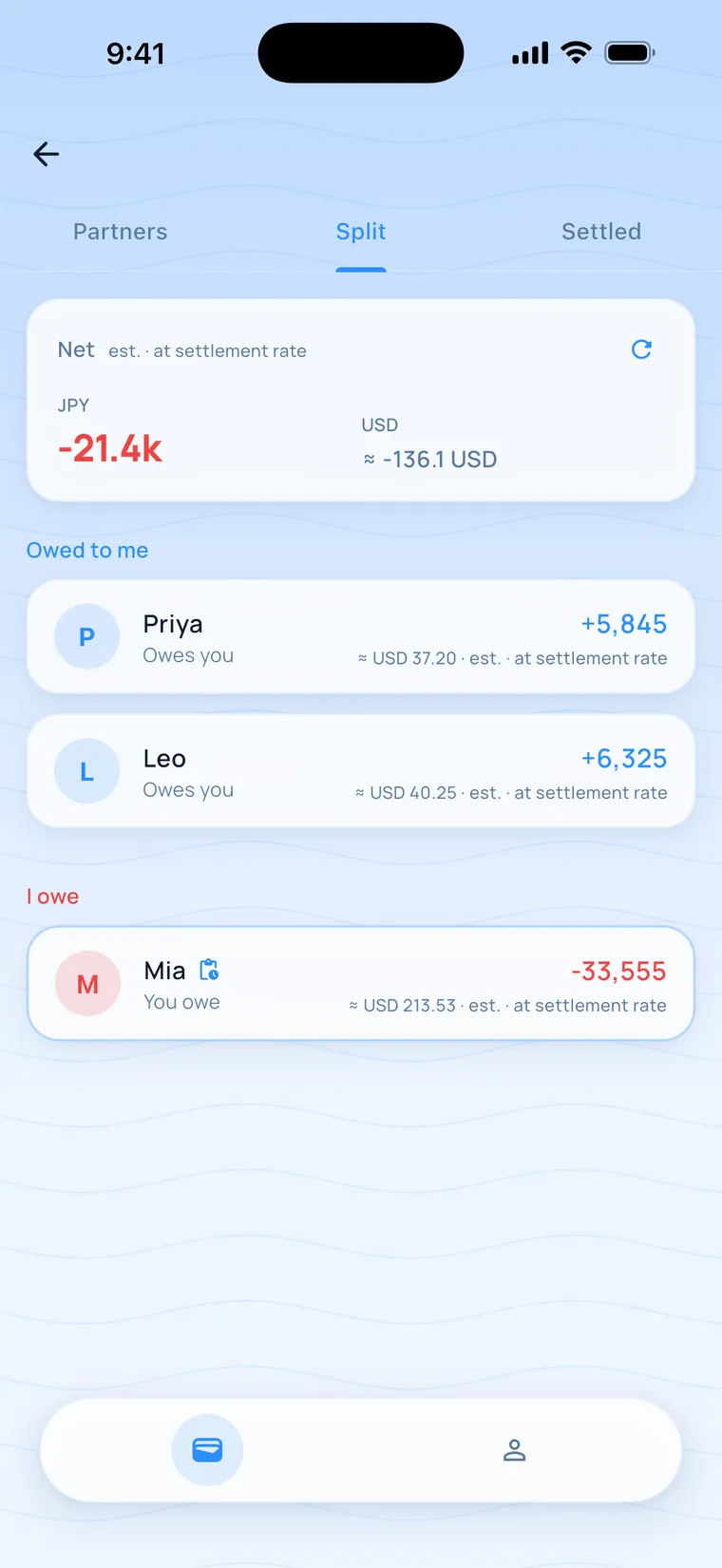
Back home, open the Split tab. "Owed to me" and "I owe" list one number per friend, with every expense a tap away.
Steps: Create a trip
Camping: how do you keep the shared fund straight?
A weekend in the mountains. Pitch fees, groceries and firewood get bought by whoever is closest, and there's no signal at the site.
- Before you leave, create the trip and invite everyone in the group.
- Log each purchase right when you make it. It saves offline with an estimated rate.
- Once you're back in range, the expenses sync to everyone's phone.
Every purchase stays on the ledger, and the Split tab shows who fronted what.
Steps: Log an expense
Dinner out: what if everyone ordered differently?
Four people at a grilled-beef dinner. He ordered the beef and I only had soup, so an even split is unfair.
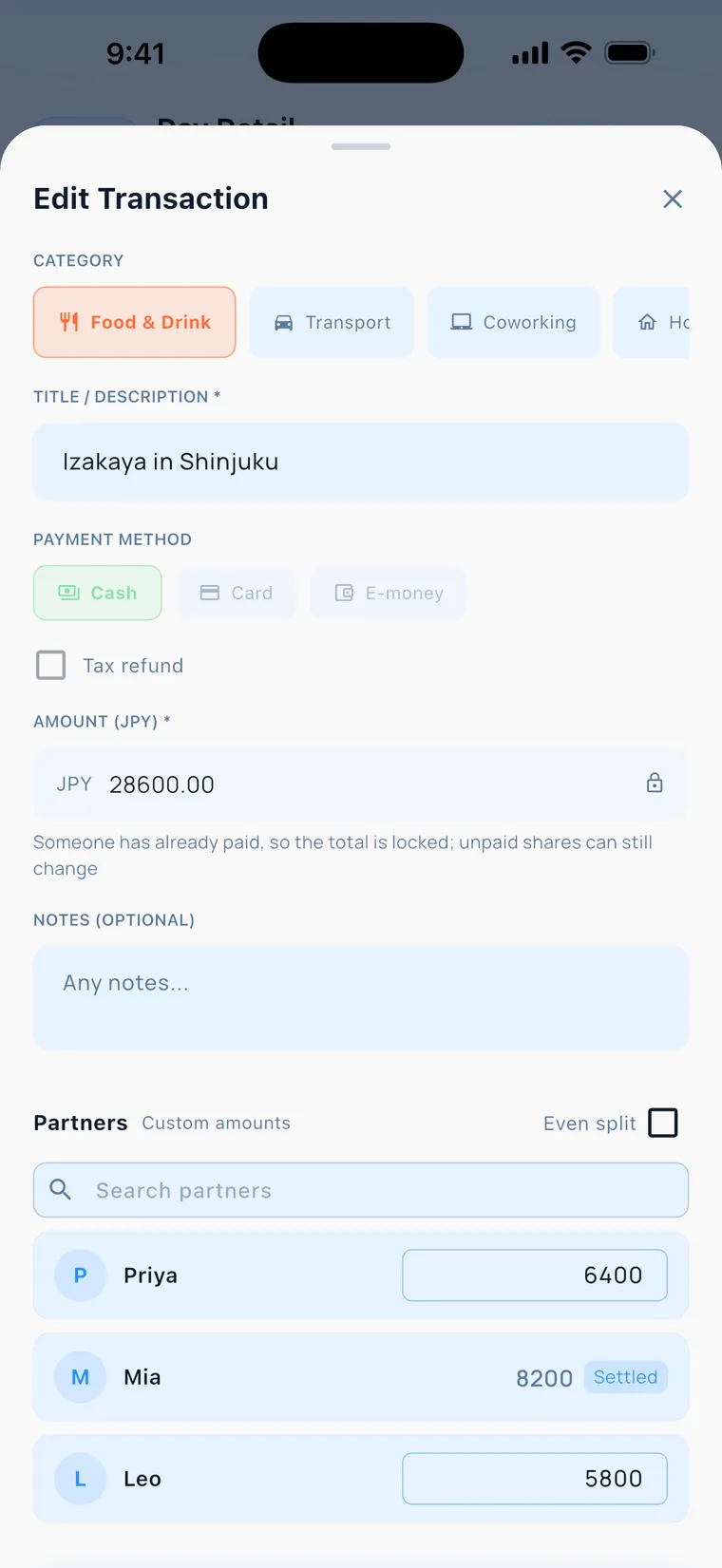
- Log the dinner, turn on "Split," then untick "Split evenly" in the companion list.
- Enter each companion's share under custom amounts. Your own share is worked out for you.
- For a friend without the app, add a virtual companion and log their share.
Save, and everyone's number on the Split tab updates. Each person's amount is what they actually ordered.
Steps: Split it
Concerts and festivals: how do tickets and rides add up?
Four friends head to another city for a show. One person buys the tickets, and another covers the ride and the hotel.
- Create one trip, with dates a day or two around the show.
- Log the tickets, the room and the gas as separate expenses, and pick who paid and who shares.
- Back home, open the Split tab and compare what others owe you with what you owe them.
For whoever fronted the tickets, the Split tab lists what each friend owes them.
Steps: Log an expense
Weekend getaway: how do you track the small stuff?
Two days and one night in Kenting, all in Taiwan dollars, with lots of small purchases.
- Create the trip in TWD. Choose "No limit" to skip the budget.
- Log breakfast and parking as you go. A souvenir just for you goes in as a personal expense.
- Big items like the stay go in as split expenses, divided by each person's share across the group.
The souvenir stays in your personal ledger, and you still see what you spent each day.
Steps: Log an expense
Roommates: how do you share monthly bills?
Three roommates share a flat. Utilities, internet and household supplies need splitting every month.
- Create a group and invite your roommates.
- Log each shared cost as a split expense. For bills divided by room size, use custom amounts.
- At month's end, open the Split tab and check each roommate's card. After you transfer, tap "Settle" and wait for them to confirm.
Once they confirm, those expenses lock and move to "Settled," and next month starts on a fresh page.
Steps: Settle up
Couples: how do you split a trip?
Two people travel together and take turns fronting the card. Back home, neither is sure who paid more.
- Create the trip and invite your partner.
- Turn on Split for shared costs and keep it even. Things you each buy for yourself go in as personal.
- Check the Split tab whenever you're curious. It always shows the latest amount.
Tap "Settle" after you transfer. Your personal expenses stay invisible to your partner, so the gift stays a surprise.
Steps: Split it
Work trip: how do you keep shared and private costs apart?
Three days away with a coworker. Costs you share and costs that are only yours get mixed together.
- Create the trip and invite the coworker traveling with you.
- Log what you share as split expenses. Log your own private spending as personal.
- Check each day how much you've spent, and the ledger is sorted before you're back at the office.
At settlement, only the shared items count. Your private spending stays out of it.
Steps: Split it
Family holiday: how do you handle adults and kids?
Your parents, your brother's family and you travel together. The adults front the cards, and the kids' shares follow their parents.
- Create the group with the paying adults as members. Kids go under their parents' shares.
- For shared costs, use custom amounts and enter each family's actual share.
- A grandparent without the app can join as a virtual companion, and you log for them.
The Split tab shows one number per family, with every expense a tap away.
Steps: Split it
Bigger group: is Free enough?
Eight classmates go on a graduation trip, which is more than the Free plan allows in one group.
- The Free plan allows 1 group at a time, up to 4 people per group, and up to 2 of them can be virtual companions (friends without the app).
- Friends without the app join as virtual companions and you log for them. They count toward the 4.
- Larger groups need Pro, which is coming soon. Tap "Notify me" in the app and we'll email you when it launches.
Groups of up to 4 work today. Bigger groups have to wait for Pro.
Steps: Invite friends