Create your first trip in a travel expense tracker app
Spend a minute on this before you leave. Every expense you log afterward goes under this trip.
Start with a trip
- 1
Tap "+" to add a trip
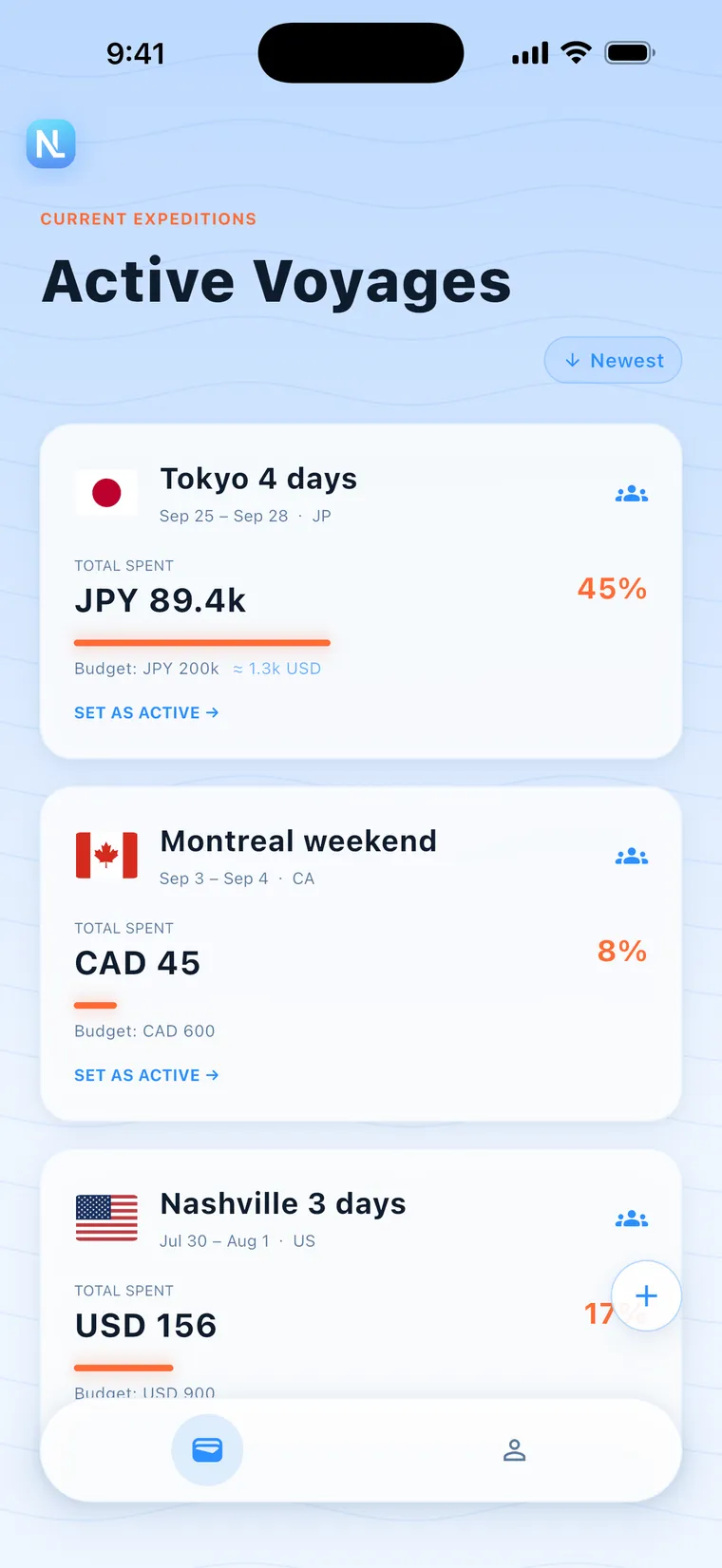
Open the trip list (the wallet icon in the bottom navigation) and tap "+" in the bottom-right corner. The "Initialize New Voyage" form opens. Each trip in the list shows its dates and total spent.
- 2
Enter a trip name and pick a country
TRIP NAME is required, for example "Kyoto Summer 2026". Pick the country from the list. CITY can stay blank.
- 3
Check the three currency fields
The LOCAL currency fills in from the country, so a trip to Tokyo gets JPY. HOME CURRENCY defaults to your personal preferred currency, and you can change it. REFERENCE lets you add one more currency, or leave it at "None".
- 4
Enter a total budget, or skip it
Enter the total budget in your home currency. It's converted to the local currency when you save. If you don't want a budget, tick the checkbox on the right of the budget field.
- 5
Pick a date range and tap "DEPLOY EXPEDITION"
Tap DATE RANGE to choose start and end dates, and the number of nights shows next to it. When it looks right, tap "DEPLOY EXPEDITION".
- 6
See the whole trip in the Daily Ledger
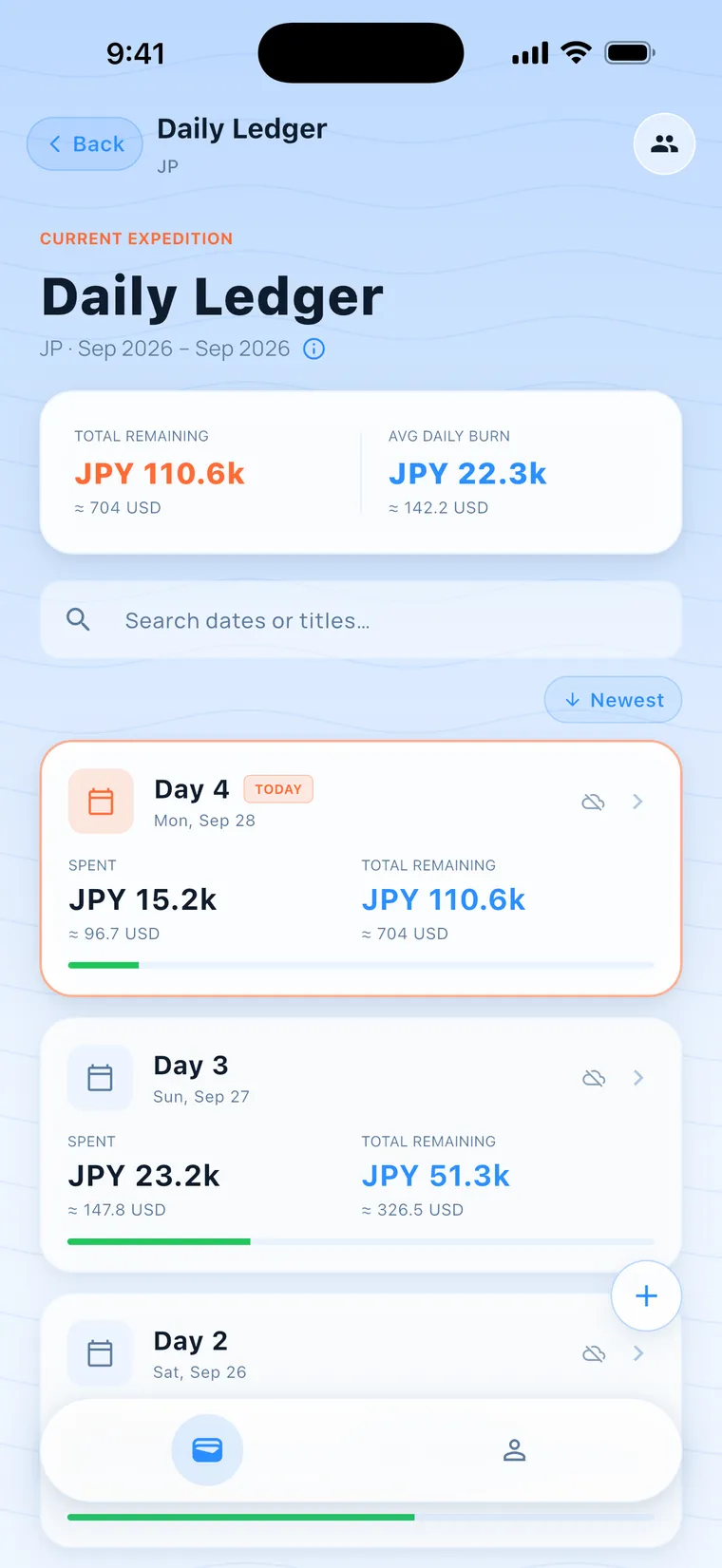
Tap a trip card to open the Daily Ledger. The top shows TOTAL REMAINING and AVG DAILY BURN, and each day has its own row with spent and remaining.
- 7
Tap a day to see its Day Detail
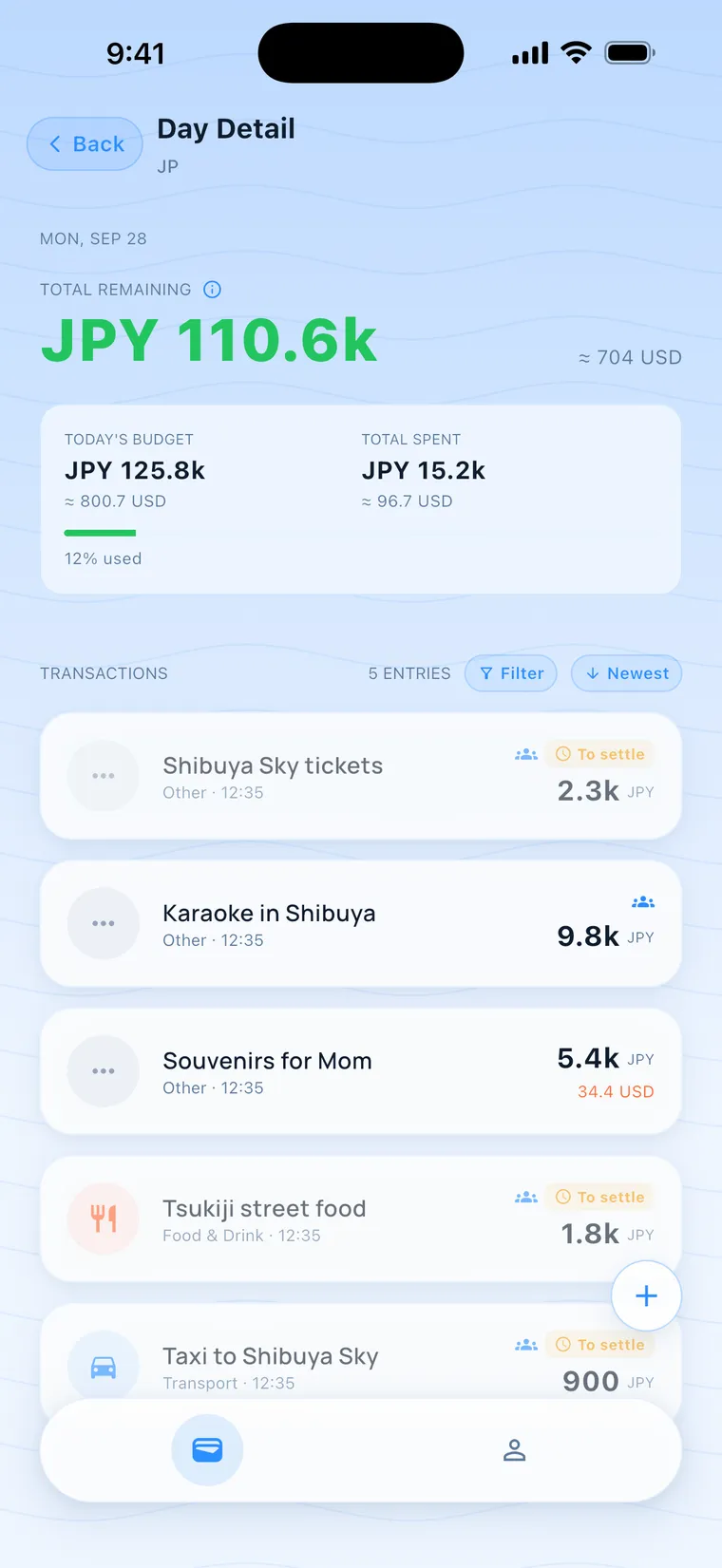
Day Detail shows TODAY'S BUDGET, TOTAL SPENT, TOTAL REMAINING and "n% used", with that day's transactions below.
- There's an ⓘ next to the Daily Ledger title. Tap it to see how the daily allowance is redistributed: a day's allowance equals (total budget − spending before that day) ÷ (days from that day to the end date). Trips without a budget don't show this.
- Swipe a trip card left for "Edit" and right for "Delete". Finished trips can only be edited, and their dates and budget are locked.
- The small pill at the top right of the list switches the sort between "Newest" and "Oldest".
Do I have to set a budget?
No. Tick the no-budget checkbox when you create the trip and you can still log and split expenses. Trips with no budget only show total spent, with no remaining amount or daily allowance.
Which currencies can I choose?
There are 162 currencies to choose from for the home and reference currencies. The local currency is set by the country and can't be picked separately.
Can I create a trip without internet?
Personal trips, yes. Creating a split group and joining someone else's group with an invite code need a connection.
Can I enter 0 as the budget?
No. The budget has to be greater than 0. If you don't want one, tick the no-budget checkbox.