Settle up a whole trip in a bill-splitting app
The trip has dozens of expenses. Back home, open the Split tab: each partner has one number, and you can tap in for the line-by-line detail.
Settle up before you head home
- 1
Open the "Split" tab
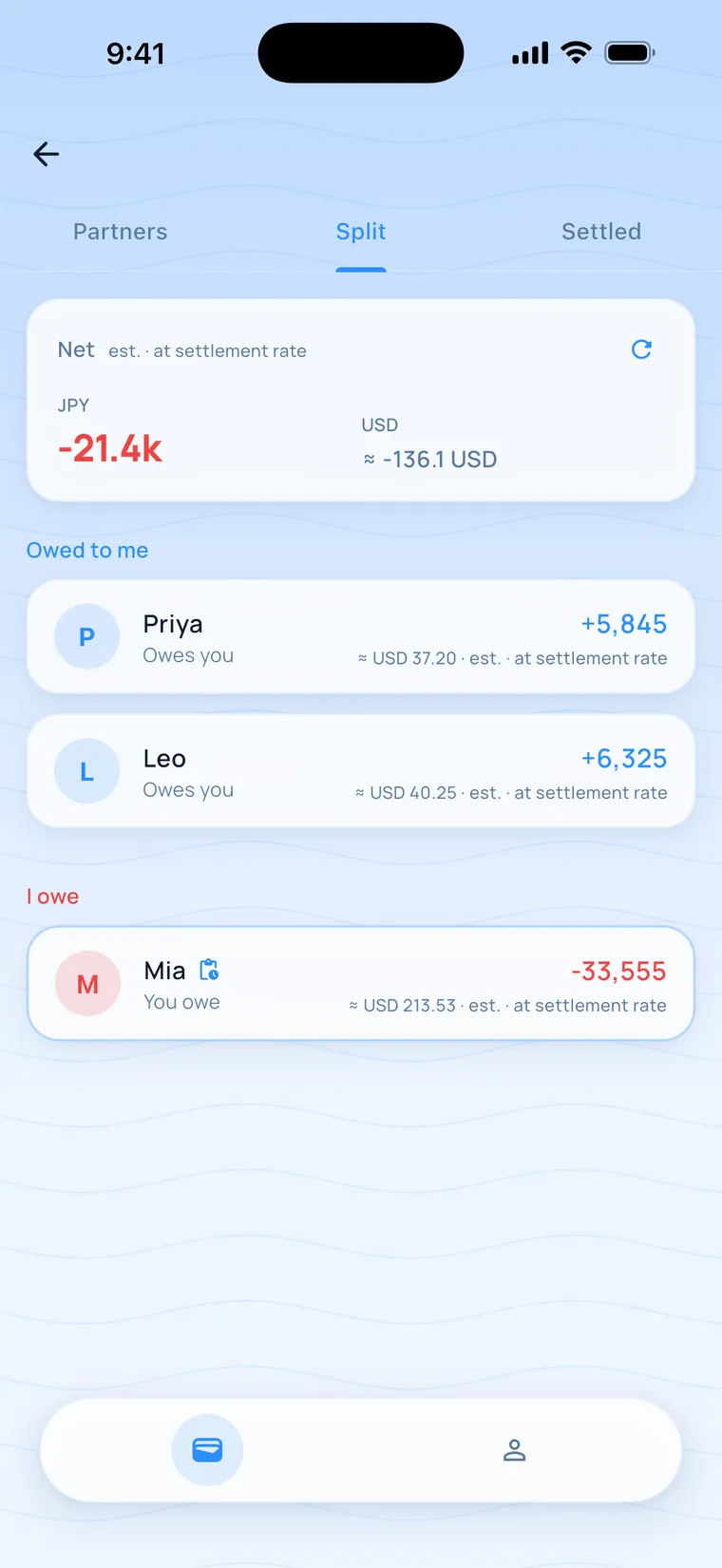
Tap the group icon at the top right of the Daily Ledger and switch to the "Split" tab. "Net" is at the top, and below it each partner has a card marked "Owes you" or "You owe". The net for this Tokyo trip is JPY −21.4k.
- 2
Tap a partner's card to see the detail
Tap Mia's card and "Detail with Mia" slides up. It lists each expense with its date, title and amount, plus "I paid for Mia" or "Mia paid for me", with the total at the bottom.
- 3
Tap "Settle up"
There's a "Settle up" button at the bottom of the detail, and either person can tap it. Next it asks "Notify them?". Choose "Send notification" to send them a link, or "Not now" to just close it.
- 4
The other person confirms or rejects
The other person opens the detail and taps "Confirm" to complete the settlement, or "Reject". Until they confirm, the bottom of the requester's detail changes to "Cancel", so you can take it back.
- 5
Check "Settled"
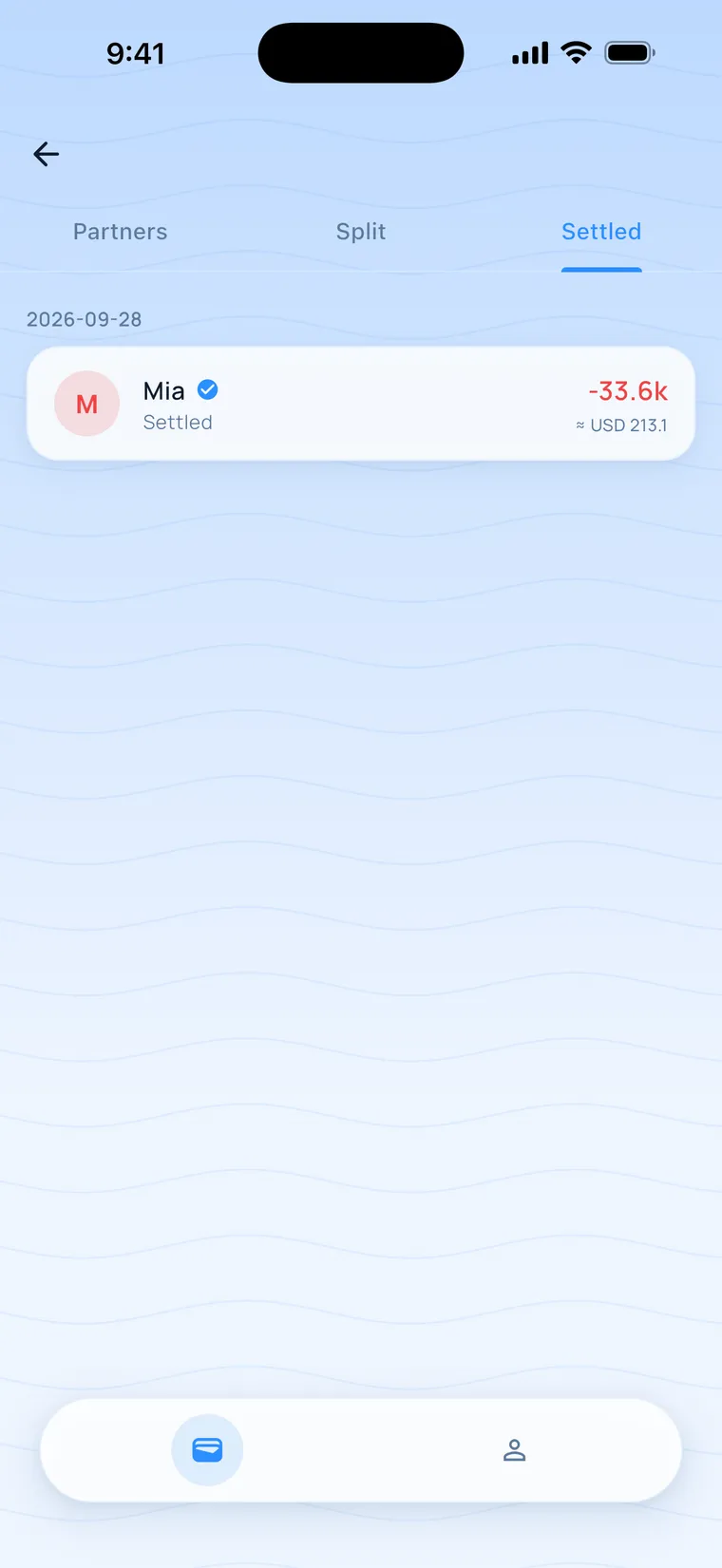
Once confirmed, those expenses move to the "Settled" tab, grouped by date, for example Mia settled −33.6k.
- 6
Tap in to see the detail
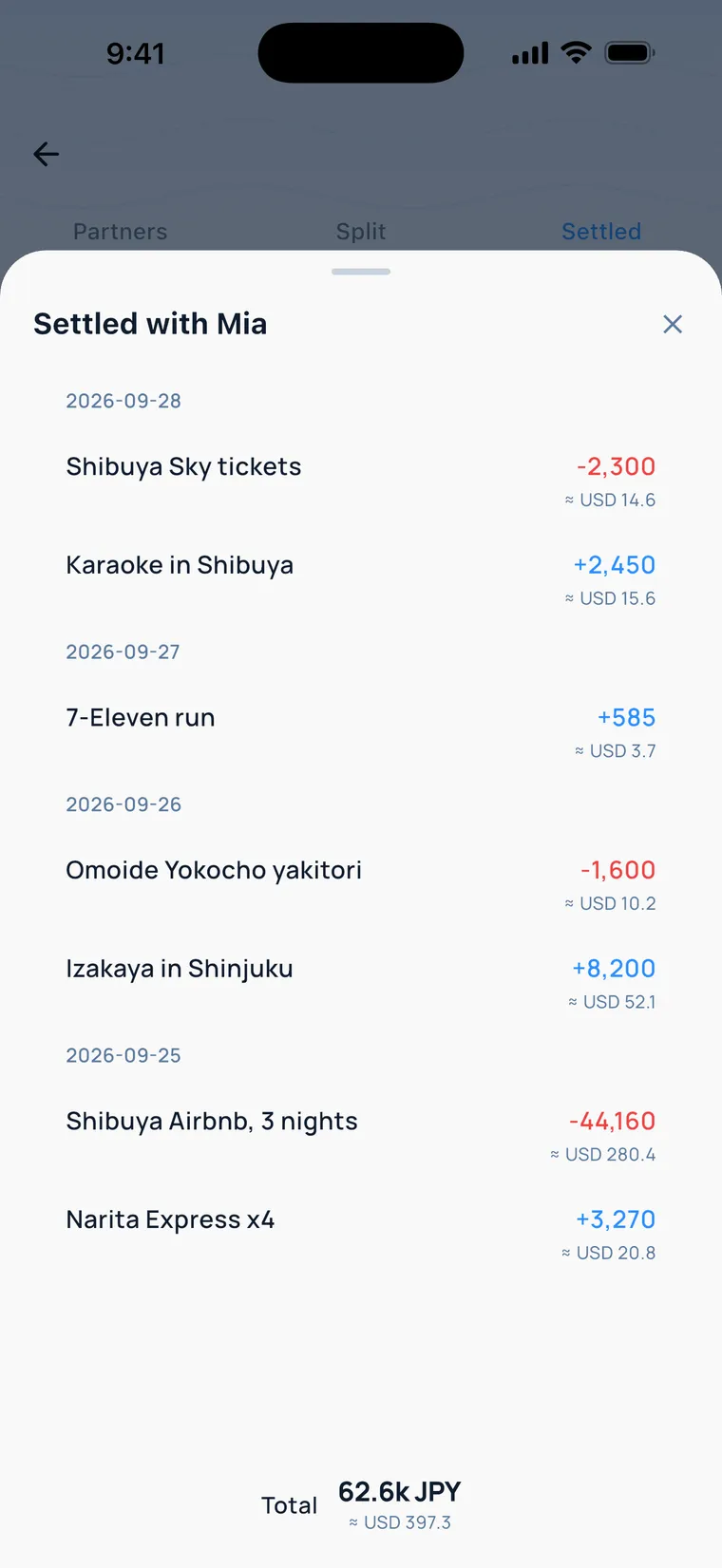
Tap Mia, and "Settled with Mia" lists every expense so you can check them one by one.
- Amounts in the Split tab are estimates. The settlement date is what counts.
- After settling, those expenses' amounts and splits are locked. You can still edit the notes.
- The total at the bottom of the settled detail is the sum of each expense's absolute value.
- When two people's balances cancel out exactly, they go in the "Offset" section.
Can I make changes after settling?
The amounts and splits are locked. You can still edit the notes.
Can I settle up without internet?
Settling with a real person needs a connection. If you tap it offline, you'll see "You need an internet connection to do this". Settling with a virtual partner works offline: it's calculated on your phone first and marked "Pending sync", and the server's result applies once you're online.
How do I settle with a virtual partner?
In the "Split" tab, the group creator opens "My ledger with virtual partners", taps "Settle up", then "Confirm" or "Reject". The group creator taps all of these steps themselves.
Can I cancel after requesting a settlement?
Yes. Until the other person confirms, there's a "Cancel" button at the bottom of your detail, and they can also tap "Reject". A forced settlement started because someone left the group can't be cancelled by the requester.
What happens if expenses change after I request a settlement?
When the other person confirms, they'll see "Details have changed" and can tap "Request again".