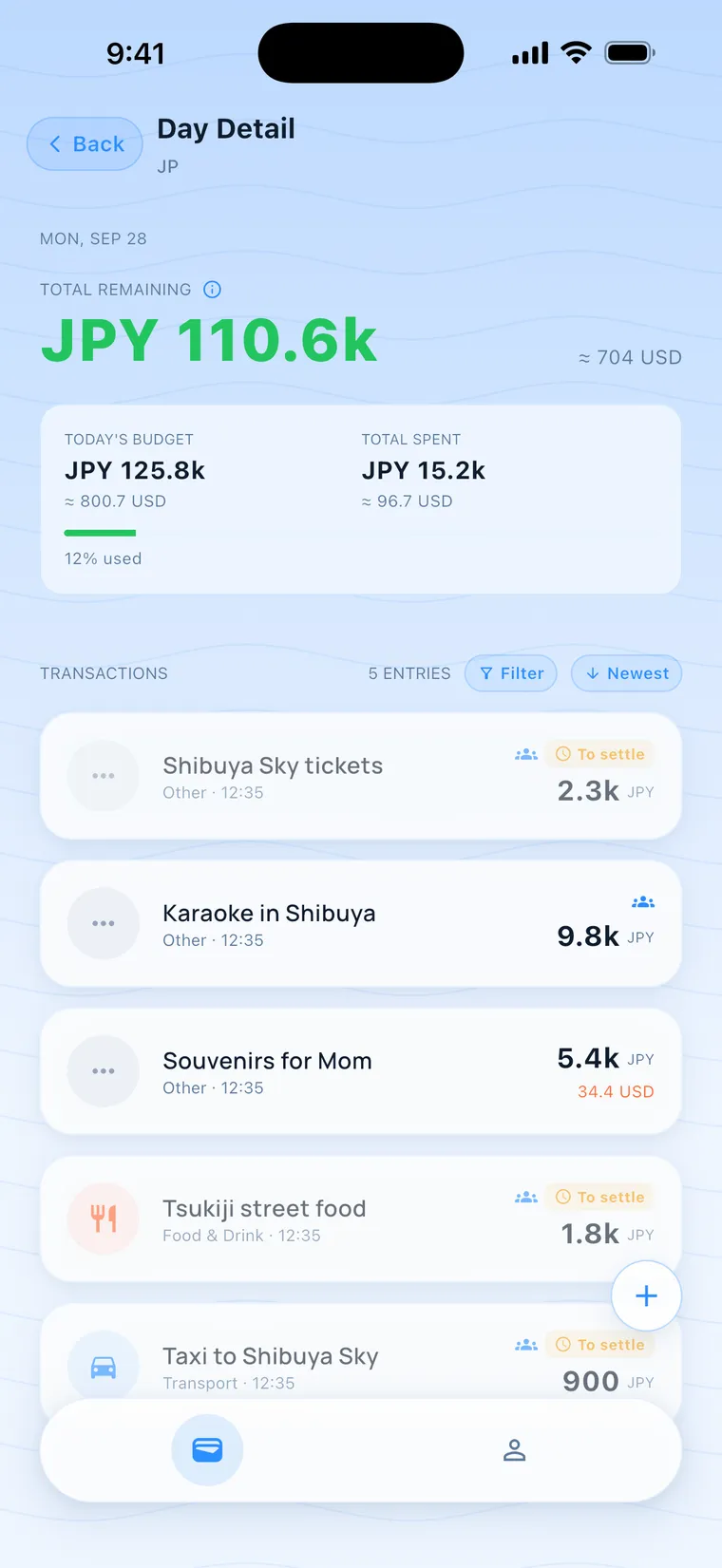
Left to spend todayJPY 110.6k
What's left to spend today
Enter a total budget and the trip length. Every expense you log updates today's budget, what you've spent and what remains. Choose "No limit" to skip the budget.
Log who paid for the stay and what everyone ordered, right at the table. Back home, the Split tab already shows who owes whom.

160+ currencies · Logs without a signal · Friends join by link
Who booked the stay, who ordered what at the market, what the exchange rate was that day. Four people's messages, scrolled back for a week, and still nobody is sure the transfer landed.
Enter a total budget and the trip length. Every expense you log updates today's budget, what you've spent and what remains. Choose "No limit" to skip the budget.
The Split tab has "Owed to me" and "I owe," one number per friend, with every expense a tap away. After you transfer, tap "Settle" to notify them. Once they confirm, those expenses lock and move to "Settled."
Keep logging on a mountain, in the subway or on a plane. Nomad Life uses an estimated rate first and marks that day with a cloud icon, then switches to the official rate for the day you spent once you're online. 160+ currencies.
Tokyo, 4 days, 4 friends. Seen from Sam's side.
Four of you in Seoul, with the flight, the stay and the dinners each fronted by someone. Back home, open the Split tab and see who owes whom.
Pitch fees, groceries, firewood, fronted by whoever was closest. No signal on the mountain? Log it anyway, and it syncs when you're back online.
He ordered the grilled beef and I only had soup. Untick "Split evenly" and everyone enters their own share. A friend without the app can be a virtual companion, and you log their share.
One person buys the tickets, another pays for the ride. Back home, open the Split tab for one number per friend.
Create a trip, invite friends, log and settle.
Pick the country and dates, and enter your budget in the currency you think in. Choose "No limit" to skip the budget.
Send a link or an invite code. A friend without the app can be added as a virtual companion, and you log their share.
How to share the invite link and code →
Record who paid and each person's share. The Split tab shows each amount with a conversion into your own currency. After you transfer, tap "Settle" and wait for them to confirm.
How to fill in an expense How to settle up
Justin Wu · Founder of Nomad Life
Read the storyFree plan: 1 group at a time, up to 4 people per group, and up to 2 of them can be virtual companions (friends without the app). Pro is coming soon.
Yes. Add them as a virtual companion, and you log their expenses and handle their settlement. If they install the app later and join with an invite code, they appear as a separate member and take up a spot too.
Saved on your phone first, then synced to our server once you're online. You can delete your account anytime, and the steps are on the Delete account page. Expenses without the Split toggle on are visible only to you.
Android is in development. The iPhone app is on the App Store.
Personal tracking is fully available. You can run 1 group you created at a time, up to 4 people each. Joining friends' groups doesn't count toward that. Larger groups need Pro, which is coming soon.
Yes. Without a connection you can still log and split. Expenses use an estimated rate first, and that day shows a cloud icon in the daily ledger. Once you're online they sync and switch to the official rate for the day you spent.
Track this trip together.
Nomad Life started with expense tracking and adds features one release at a time. What's live, what's about to ship and what we'd like to build later are listed here, in order.
Your daily budget updates with every expense. Multiple currencies, and you can log with no signal and sync when you're back online. Live on the App Store.
Friends join with an invite link or code. Everyone enters their own share, and the Split tab lists who owes whom. After you transfer, you wait for the other person to confirm. A friend without the app still gets counted, and your personal ledger stays private. Preparing for the App Store.
Download nowThe Pro plan, personal CSV export, a group PDF settlement report and income records. After you settle, one tap takes you to local payment options, and you can share a summary link.
These have no dates yet. We'll start each one only when its conditions are met, and they're listed on the milestones page.